
An important caveat: this text deals with locating YOUR device. Installing tracking software on another adult's cell phone without their knowledge is device intrusion — a crime under article 154-A of the Penal Code. For your phone, the native features of Android and iPhone solve the problem without installing anything.
This list is about finding YOUR device when it goes missing, and about location sharing between people who have agreed to do so. Before any list, what the law and app stores make clear: installing an app on another adult's phone to read messages, view location, or record screen is device intrusion — a crime under Article 154-A of the Penal Code — and is grounds for removal of the app from Google Play. Tracking is only legitimate in two situations: on YOUR own device, or on a minor child's device, with their knowledge and with the notification clearly visible in the system.
In the digital age, mobile security is a growing concern for many users. Whether it’s for personal safety, tracking family members, or even preventing device theft, cell phone tracking apps have become essential tools in everyday life. With the wide variety of apps available, it’s important to know which ones are the most effective and reliable for protecting your information and locating your device when needed.
This article will present a curated selection of the best tracking apps available on the market. Each of the apps listed here offers a variety of features, from simple smartphone tracking to advanced anti-theft capabilities, ensuring that you find the option that best suits your cell phone security and tracking needs.
Top Cell Phone Tracking Apps
Let's explore in more detail the most recommended apps for those who want to keep their device safe and always within reach.
1. Encontre meu dispositivo
Find My Device , developed by Google, is one of the most effective and easy-to-use cell phone trackers. With this app, you can not only locate your smartphone on a map in real time, but also block access to the device or delete all personal information in case of loss or theft. The interface is intuitive, making it easy to navigate and configure security options with just a few clicks.
Additionally, Find My Device lets you see the last known location of your device, even if it is offline or turned off, a critical feature for recovering lost devices.
2. Buscar iPhone (Find My)
On iPhones, the equivalent of Find My Device comes pre-installed and linked to your Apple account. It shows your location on a map, makes the device ring even when on silent mode, activates Lost Mode with a message on the screen, and allows you to remotely erase data.
It's worth checking today if it's active, in Settings > your name > Find My. Once the device disappears, you can't turn it on again.
3. Apps espiões: por que não entram nesta lista
Spyware programs appear in every search for tracking, and that's precisely why it's worth explaining how to remove them. They are sold as surveillance tools: they operate covertly, are not available in official stores, and require installation with the device in hand.
To locate your own cell phone, this is useless — the native features of Android and iPhone do a better job, and for free. And for another adult's device, installing one of these constitutes device intrusion, a crime under article 154-A of the Penal Code, punishable by 1 to 4 years in prison.
4. Bloqueio e apagamento remoto
Locating the device is only the first part. If it's not coming back, what matters is preventing access to its contents: remotely locking the screen, displaying a message with a contact phone number, and, as a last resort, remotely erasing the data.
It's also worth blocking the SIM card through the carrier and notifying the bank if there was a financial app installed. The biggest loss from a lost cell phone is almost never the device itself.
5. Cérbero
Kerberos Cerberus is a veteran in the mobile security app space. With a strong focus on theft prevention, the app offers features such as remote alarm, audio recording from the device’s microphone, and even taking photos with the front camera to track potential thieves. Cerberus is highly customizable and is one of the best options for those who are serious about protecting themselves against loss and theft.
The ability to remotely control the device adds an extra layer of security, ensuring that your personal data is protected even in adverse situations.
Additional features of the tracking app
In addition to basic location tracking features, many apps offer additional features that can be extremely useful. Proximity alerts, location histories, and security zones are just a few of the features that help users keep tighter control over the movements of the tracked device. These features make cell phone tracking apps essential tools for protecting against unauthorized or misuse of mobile devices.
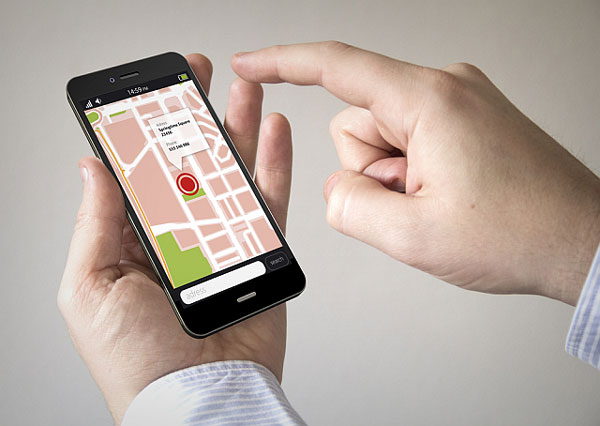
How does the cell phone know where it is?
Understanding the mechanism avoids the biggest frustration for those using these services for the first time: the point on the map is almost never exact, and this is not a defect. The position is calculated by combining three sources, with very different levels of precision.
- Satellite. It's the most accurate method, reaching within a few meters, but it requires an open sky. Inside a house, in a shopping mall, or in a garage, the signal practically doesn't reach.
- Nearby Wi-Fi networks. The device identifies nearby networks and compares them to a database of already mapped networks. It works well in urban areas and is what saves location information indoors.
- Telephone antenna. The most basic option. It indicates the area covered by the antenna serving the device, which in a dense neighborhood means a few hundred meters and, in the countryside, can mean kilometers.
The circle drawn around the point represents the margin of error, and it shrinks as better sources become available. That's why the device appears to move on its own on the map: it's switching sources, not walking.
There is also the last known location, which is a record of where the device was when it last contacted the service. It continues to appear after the phone is turned off or runs out of battery — but it's a photo from the past, not the current location. Confusing one with the other has led many people to knock on the wrong door.
What to prepare today, before you need it.
Everything worth doing to find a cell phone needs to be set up before it disappears. Once it's gone, you can't remotely activate anything. This is the preparation checklist, and it takes less than fifteen minutes.
- Confirm that the system manufacturer's location service is active. and linked to the account you actually use. Open it and test it once, locating the device itself, to see how the screen works before an emergency.
- Turn on the device's location services and keep it in high-precision mode., which is what authorizes the use of Wi-Fi and antennas in addition to satellite.
- Set a password, PIN, or fingerprint scanner on the lock screen. Without this, whoever picks up the device can disable tracking in ten seconds.
- Write down the IMEI number somewhere other than on your phone. It appears in the settings, on the device box, and on the sales receipt. It's the number that the carrier and the police use to block the device.
- Leave automatic backup enabled. If your phone doesn't come back, it's the backup that determines whether you've lost an object or your entire digital life.
- Set up the message and emergency contact. which may appear on the lock screen. A large portion of lost devices are found by someone willing to return them, but without any way to notify the owner.
- Keep the receipt. It is required in several blocking procedures and in the police report.
The first two hours after the disappearance.
In the first few hours, the real loss isn't the device itself—it's what can be done with the applications open on it. The order below prioritizes cutting off access, not recovering the device.
- Locate it using your computer or another mobile phone. And observe if the point is moving. If it's stationary in a known location, it might be due to forgetfulness.
- Make the device ring., Even on silent mode, it should be used before anything else. It solves the most common problem of all, which is dropping your cell phone in the car or on the sofa.
- Activate Lost Mode, which locks the screen and displays a message with a contact phone number.
- Call your service provider and block the SIM card. This prevents calls, data transfers, and, most importantly, the receipt of SMS codes in your name.
- Notify the bank and block the instant payment key. Open financial apps are the real target for those who steal cell phones today.
- Change the main account password. — the same one that stores email, contacts, and photos — and close any active sessions there.
- File a police report. With the IMEI number in hand, request that the device be blocked using the device's number, which prevents its use with any SIM card.
Why remotely wiping data is the last option.
The remote wipe command exists and works, but it has a side effect that almost no one anticipates: after being executed, the device disappears. Without the account data inside, there's no way to locate it, ring it, or display a message. You trade the chance of recovery for the peace of mind of knowing that no one will see your things.
Therefore, the sensible sequence is to block the device first, observe it for a few hours, and only delete it when it becomes clear that the device is not coming back — or when there is content that is too sensitive to risk.
It's also important to know that there's a lock linked to the account: even after a factory reset, the device asks for the password of the last account that was registered on it. This is what makes a stolen cell phone almost useless for resale as a functional device, and it's also the reason why you should never lose access to that account.
Tracking a cell phone by number: why it doesn't exist.
This is the most common search on the subject, and the answer is short: no publicly available service can locate a phone number. The phone company has access to this information for technical purposes, and the police obtain it through a court order. There is no middle ground.
Websites that promise this always work the same way, and recognizing the script saves money and headaches:
- They ask for the number and show a search animation with a rotating map.
- They announce that the location has been found, but they blur the result.
- They require registration, payment, or a recurring subscription to reveal their content.
- After payment, they provide a generic location — usually the city indicated by the area code — or nothing at all.
A more serious variation involves asking you to enter your own number to receive a code, which is then used to register your messaging account on the scammer's device. In this case, you not only lose the money, but you also lose the account.
Common questions
Is it possible to locate a cell phone that is turned off or has a dead battery?
What appears is the last recorded position before it was switched off. Some recent devices can be found by short-range signal even when switched off, but this depends on the model and only works if there is another device nearby to relay the signal.
If the thief swaps the SIM card, can it still be found?
Yes, as long as the device can connect to a network—including Wi-Fi—and the account remains registered on it. Tracking depends on the account, not the SIM card. Only a factory reset interrupts the process.
Do I need to install any app for this to work?
No. Both Android and iPhone come with location services pre-installed, linked to the system account. Extra apps add niche features, but none of them replace what comes already installed.
Does airplane mode prevent location tracking?
Yes, for as long as it lasts. Without a network connection, the device can't report its location, and you're left with the last known location. That's the first thing someone who steals a cell phone does.
Is it worth putting a tracking device in a backpack or car?
These are different products and solve a different problem. Short-range tracking tags depend on other nearby devices to report location, work well in cities but poorly in deserted areas, and do not replace tracking via a mobile phone with internet access.
conclusion
Cell phone tracking apps are essential for keeping your mobile devices safe. With the options presented, you can choose the app that best suits your needs, whether it’s monitoring your children, ensuring personal safety, or protecting against theft. Be sure to evaluate each app and choose the one that offers the best balance of ease of use, features, and value for money to maximize your mobile security experience.


